
Making patches on an embroidery machine lets you create cool designs for clothes, bags, and more. This full tutorial shows you how to do it step by step. You can make custom patches for yourself or to sell. It’s a fun way to use your embroidery machine.
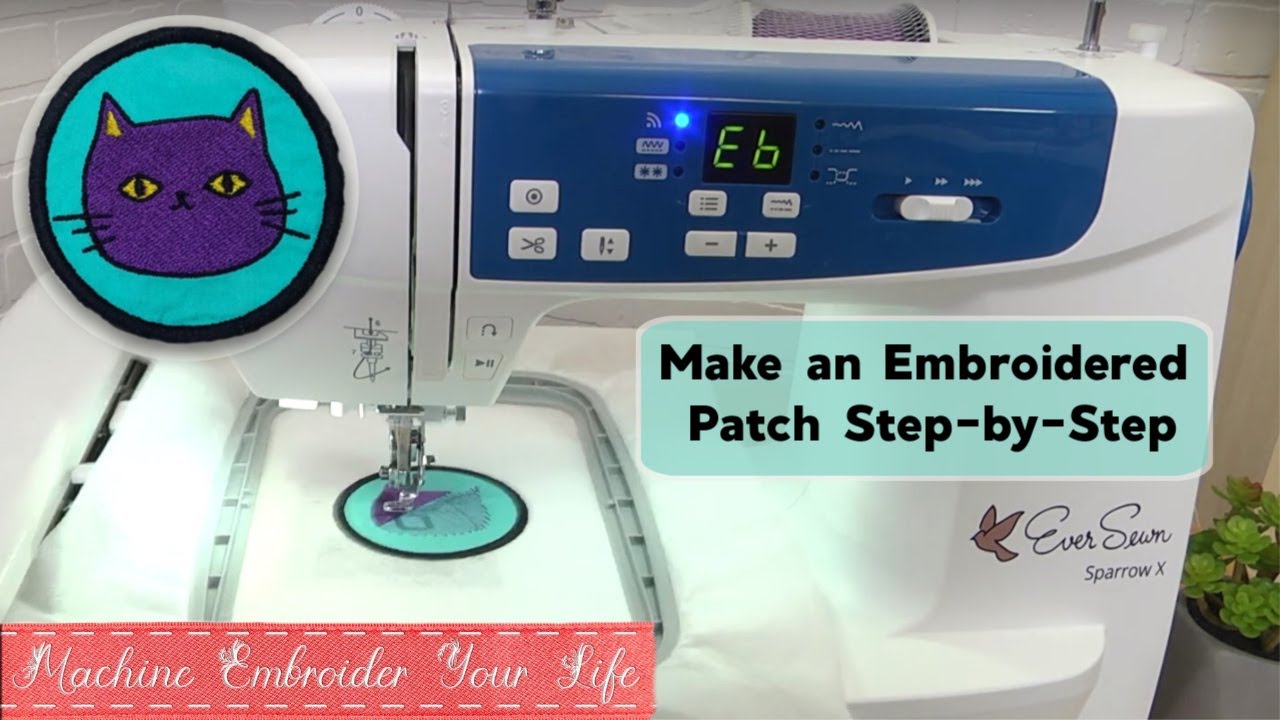
Image Source: i.ytimg.com
What You Need to Make Patches
Making patches needs the right stuff. Here is what you will need to get started. Having the right machine embroidery patch supplies makes the job much easier.
Your Embroidery Machine
You need an embroidery machine. It can be a home machine or a bigger industrial one. Make sure it is in good working order. Clean it and put in a new needle before you start.
Needles
Use the right needle for the job. A sharp needle is often best for patches. It goes through different layers of material well. The size depends on the thread and fabric you use. A common size is 75/11 or 80/12.
Embroidery Thread
Polyester thread is a good choice. It is strong and holds color well. Rayon thread also works, but it might not be as tough. You will need different colors for your design.
Fabric for the Patch Base
The patch base is the material you sew your design onto. Felt is popular. It is easy to work with and stable. Twill fabric is also common, especially for a classic patch look. You can use other sturdy fabrics too.
Embroidery Stabilizer for Patches
Stabilizer is very important. It keeps your fabric flat and steady while the machine sews. This stops the fabric from pulling or puckering. There are different types:
- Cut-away stabilizer: This is good for dense designs. You cut away the extra stabilizer when done. Some stays under the stitches.
- Tear-away stabilizer: This is easier to remove. You just tear it away. It is good for lighter designs.
- Wash-away stabilizer: This dissolves in water. Use it when you do not want any stabilizer left. It is often used on top of fabric or as a base for freestanding lace patches.
For patches, a medium to heavy-weight cut-away or tear-away stabilizer is often best. You might use more than one layer for heavy stitching.
Backing Material for Patches
This goes on the back of the finished patch. It makes the patch stiff and ready to attach. There are different types of backing.
- Iron-on patch backing: This has glue on it. You can iron the patch onto clothes. It is also called heat seal backing for patches.
- Non-iron backing: This stiffens the patch but has no glue. It is used for sew-on patches embroidery machine projects. Heavy-duty cut-away stabilizer or special patch backing material works here.
Tools for Finishing
You will need tools to finish your patch.
- Sharp Scissors: Small, sharp scissors are key for cutting away fabric and threads neatly. Curved scissors are good for trimming close to stitches.
- Fabric Glue or Sealant: This can help stop edges from fraying, especially if you are not doing a merrowed edge embroidery patch.
- Heat Press or Iron: Needed if you are using iron-on backing.
Here is a simple list of machine embroidery patch supplies:
Table: Basic Patch Supplies
| Item | Purpose | Notes |
|---|---|---|
| Embroidery Machine | Sews the design | Needs to be working well |
| Needles | Pokes holes for thread | Use sharp ones, size 75/11 or 80/12 |
| Embroidery Thread | Makes the design | Polyester is durable |
| Base Fabric | What the design is sewn onto | Felt or twill are common |
| Embroidery Stabilizer | Keeps fabric steady | Cut-away or tear-away usually best |
| Backing Material | Goes on the back, stiffens patch | Iron-on (heat seal) or sew-on (no glue) |
| Sharp Scissors | Cut fabric and threads | Small, curved ones are helpful |
| Iron or Heat Press | For iron-on backing | Needs controlled heat |
Designing Your Patch
Before you sew, you need a design file. This is a digital file that tells the embroidery machine where to sew. Creating this file is called digitizing patches for embroidery.
Using Embroidery Software
You need special software to create or change embroidery designs. Many machines come with software, or you can buy it. This software lets you turn a picture or logo into stitches.
Steps in Digitizing
Digitizing patches for embroidery involves a few steps:
- Importing the Image: Bring your picture (like a JPG or PNG) into the software.
- Setting Size and Shape: Decide how big your patch will be. Choose if it is a circle, square, or custom shape.
- Placing Stitches: Tell the software where to put stitches. You choose stitch types (like fill, satin, run) and directions.
- Adding a Border: Patches usually have a border. This can be a satin stitch or a run stitch. It defines the edge.
- Setting Density: How close are the stitches? Dense stitches make a solid area. Less dense stitches look lighter.
- Color Stops: Tell the machine when to change thread colors.
- Cut Line or Border Run: For patches that you cut out, you often add a final run stitch line just outside the main design. This line shows you where to cut. It also helps hold down the fabric layers and stabilizer right at the edge before you add the border. Some digitizers prefer a final slow satin stitch border instead, which acts as the merrowed edge.
Design Considerations for Patches
- Complexity: Keep the design simple enough for stitching. Very small details or tiny text can be hard to sew clearly.
- Size: Design for the size you plan to make the patch. A design that looks good big might not look good small.
- Stitch Direction: Think about how the stitches will lay. This affects how the light hits the patch and how it looks.
- Color Changes: Plan your colors. Fewer color changes mean the machine stops less, saving time.
- Density for Fabric: The stitch density should match the fabric you use for the base. Denser stitches on thick fabric.
- Border Type: Decide if you want a satin stitch border (looks thicker, like a merrowed edge embroidery patch) or a simpler run stitch border.
If you are not comfortable digitizing, you can buy pre-made patch designs online. You can also pay someone to create custom embroidered patches files for you.
Getting Ready to Sew
Preparation is key for a good patch. This involves setting up your machine and fabric.
Hooping the Fabric and Stabilizer
This is a crucial step. You need to put your base fabric and the embroidery stabilizer for patches into the embroidery hoop together.
- Cut Materials: Cut a piece of your base fabric and a piece of stabilizer. Make them a few inches bigger than your hoop size.
- Layering: Place the stabilizer flat first. If using tear-away or cut-away, the fabric goes on top of the stabilizer. For some methods, you might hoop only the stabilizer and spray it with temporary adhesive, then stick the fabric onto it (called floating). Floating works well for materials you do not want hoop marks on, but for patches, hooping both is usually better for stability.
- Hooping: Put the fabric and stabilizer layers into the embroidery hoop. Make sure they are smooth and taut (tight) like a drum. Do not stretch the fabric itself too much, especially knit fabrics, as this can cause distortion. Tighten the hoop screw well.
- Check Tension: The fabric should be firm in the hoop. Tap it; it should sound a bit like a drum.
Proper hooping stops the fabric from moving during sewing. Movement leads to bad registration (colors not lining up) and puckering.
Loading the Design
Put your digitized design file into your embroidery machine. This is usually done with a USB stick or by connecting your computer to the machine.
Setting Up the Machine
- Insert Needle: Put in the right size and type of needle.
- Thread Machine: Thread the machine with the first color of your design. Use good quality embroidery thread in both the needle and the bobbin. For patches, you often use the same color thread in the bobbin as your border thread, or a neutral color that blends with the back.
- Attach Hoop: Put the hooped fabric onto the machine’s arm. Make sure it is locked in place.
- Position Design: Use the machine’s screen to place the design where you want it on the fabric within the hoop.
Sewing the Patch Design
Now it is time to sew. The machine does most of the work, but you need to watch it.
Starting the Machine
Double check everything:
* Is the hoop on tight?
* Is the correct thread color in?
* Is the design positioned right?
* Is the pressure foot down?
Press the start button. The machine will begin sewing the first color of the design.
Watching the Sewing Process
Stay nearby while the machine sews.
- Check Threads: Make sure the top thread does not break and the bobbin thread is coming out correctly.
- Fabric Movement: Watch that the fabric stays flat in the hoop and does not shift.
- Listen: Listen to the machine. Strange noises can mean a problem.
Color Changes
The machine will stop when it finishes a color. It will tell you which color is next.
- Trim any connecting threads on the top of the design.
- Change the top thread to the next color.
- Press start.
Repeat this for all the colors in your design.
Sewing the Border
The last step in sewing is usually the border. This is important for the look and finish of the patch.
- Placement: The border stitches go around the outside edge of your design.
- Stitch Type: It is often a satin stitch for a thick edge (like a merrowed edge embroidery patch) or a run stitch if you plan to add a separate border later or cut very close.
- Tension: Make sure your thread tension is good for the border. The stitches should look nice and even on both the top and bottom.
Once the border is done, the machine finishes sewing.
Finishing Your Patch
After the machine stops, you need to finish the patch. This involves removing it from the hoop, trimming, and adding the backing. This is where you focus on cutting patches machine embroidery and adding the right backing.
Removing from Hoop
Take the hoop off the machine. Release the fabric and stabilizer from the hoop.
Removing Stabilizer
Remove the extra stabilizer from around your design.
- Tear-away: Gently tear the stabilizer away from the stitches. Be careful not to pull too hard and damage the stitches.
- Cut-away: Use sharp scissors to carefully cut the excess stabilizer away from the back of the design. Get close to the stitches but do not cut the stitches themselves. Some stabilizer stays permanently.
- Wash-away: If you used wash-away, follow the product instructions. This usually involves soaking the patch in water.
Trimming the Patch Shape
This step is very important for the final look. You need to cut the patch out of the base fabric. This is cutting patches machine embroidery into their final shape.
- Follow the Border: If you have a border stitch, cut about 1/8 inch (or less) away from the outside edge of the border. Do not cut right on the border stitch itself unless it was designed as a cut line.
- Sharp Scissors: Use very sharp small scissors. Curved embroidery scissors work well for getting close to the edge and cutting curves smoothly.
- Precision: Take your time. A clean cut makes the patch look professional.
- Using a Cut Line: If your design had a specific run stitch line for cutting, cut carefully along or just outside that line.
Adding Backing Material
Now you add the backing. This stiffens the patch and provides a way to attach it.
- Cut Backing: Cut a piece of your chosen backing material slightly smaller than the patch shape you just cut. You do not want the backing to stick out past the patch edges.
- Types of Backing:
- Iron-On (Heat Seal): Place the glue side of the iron-on patch backing against the back of your embroidered patch.
- Sew-On (Non-Iron): Place the non-iron backing material against the back. This could be a piece of sturdy cut-away stabilizer or special patch backing fabric.
- Attaching Backing:
- For Iron-On (Heat Seal Backing for Patches): Follow the specific instructions for your heat seal backing. Usually, you place the patch backing-side down on a heat press or use an iron. Cover with a pressing cloth. Apply heat and pressure for the time recommended by the backing material maker. This melts the glue to the back of the patch.
- For Sew-On: You can use fabric glue around the edges of the backing piece to stick it to the patch, or simply rely on sewing the patch onto the final item to hold the backing in place.
Considering a Merrowed Edge
A merrowed edge is a thick, overlocked stitch that wraps around the edge of a patch. It gives a very classic, finished look. Making a true merrowed edge usually requires a special merrowing machine.
However, you can create a look similar to a merrowed edge embroidery patch using a dense satin stitch border in your embroidery design software. Make sure the satin stitches are wide enough to cover the raw edge of the fabric after trimming. When trimming, you cut right up to this dense satin border.
Attaching Your Finished Patch
You have made your patch! Now, how do you put it onto something?
Ironing On
If you used iron-on patch backing (heat seal backing for patches), you can iron the patch onto fabric.
- Prepare Surface: Place the item flat where you want the patch to go.
- Position Patch: Put the patch glue-side down on the item.
- Heat and Press: Cover the patch with a thin cloth (like a tea towel). Use a hot iron or heat press. Press down firmly for about 30 seconds to a minute. Use the heat setting right for the fabric of the item you are putting the patch on.
- Cool Down: Let the patch cool completely. Check if it is stuck. If not, press again.
Ironing works best on fabrics that can handle heat, like cotton or denim. It might not stick well to nylon or waterproof fabrics. It is also often not as permanent as sewing.
Sewing On
For sew-on patches embroidery machine makers often choose this method for best hold. You can sew the patch by hand or machine.
- By Hand: Use strong thread and a needle. Sew small stitches around the edge of the patch. Go through the border of the patch and into the fabric below.
- By Machine: Use your sewing machine. Pick a stitch type. A straight stitch close to the edge works. A zigzag stitch that goes over the edge of the patch and onto the fabric is also good. Some embroidery machines can sew zigzag stitches too, making them useful for sew-on patches embroidery machine projects. Use a heavy-duty needle if sewing onto thick material like denim.
Sewing is usually the most secure way to attach a patch, especially for items that will be washed often or used roughly.
Other Methods
- Fabric Glue: Some strong fabric glues can attach patches. Follow product instructions carefully. This might not be as durable as sewing or ironing.
- Velcro: Sew one side of Velcro to the patch and the other side to the item. This lets you remove or swap patches.
Tips for Making Great Patches
Here are some tips to help you make high-quality patches.
Choosing the Right Fabric Base
- Felt: Easy to work with, does not fray much. Good for simple designs.
- Twill: Classic patch material, durable. Can fray if not finished well.
- Other Fabrics: Sturdy materials like canvas or even faux leather can work depending on the look you want.
Stabilizer is Your Friend
Do not skimp on stabilizer. For patches, especially those with dense stitching, you often need two layers of medium-weight stabilizer or one layer of heavy-weight. This really helps keep the patch flat and stops stitches from sinking.
Test Swatch
Before making a final patch, sew a test of the design on a scrap piece of the same fabric and stabilizer. This lets you check colors, tension, and how the stitches look. Adjust if needed.
Thread Tension Matters
Correct thread tension is very important. You want the top thread and bobbin thread to meet neatly inside the fabric layers. If the top thread shows on the bottom, the top tension is too tight or bobbin tension is too loose. If the bobbin thread shows on top, the bobbin tension is too tight or top tension is too loose. Uneven tension looks bad and can make stitches break.
Clean Up Well
After sewing, take time to trim all connecting threads from the top and back of the patch. This makes it look much cleaner.
Trimming Technique
When cutting patches machine embroidery is finished, use the sharpest scissors you have. Cut slowly and steadily. Practice on scrap pieces if you are new to it. The edge is a big part of the final look.
Merrowed Edge Alternative
If you do not have a merrowing machine but want that look, master the dense satin stitch border in your digitizing software. Make sure the cutting line is right next to it so the satin stitch covers the raw edge.
Custom Touches
Remember you can make custom embroidered patches for anything. Think about team logos, club badges, or unique art pieces. The design possibilities are endless with digitizing patches for embroidery.
Making Different Types of Patches
You are not limited to one type of patch.
Standard Embroidered Patches
These are the most common. They have a fabric base fully or partly covered with embroidery and a border.
Applique Patches
These use a piece of fabric cut to a shape and sewn onto the base fabric with a satin stitch edge. Then you embroider details on top. This saves on stitch count and can add texture.
Felt Patches
Easy to make, often with less dense stitching. Felt does not fray, making it forgiving for cutting.
Freestanding Embroidery (FSL) Patches
These are made completely of thread, stitched onto wash-away stabilizer. When the stabilizer is washed away, only the thread is left. These are more like embroidered badges than traditional patches with a fabric base. They often have a lot of dense stitching.
Going Beyond the Basics
Once you are comfortable making simple patches, you can try more advanced things.
- 3D Foam: Use puff foam under satin stitches to make parts of the design stand up.
- Metallic Thread: Use special threads for shine, but they can be tricky to sew with. You might need a special needle.
- Varied Stitches: Learn to use different fill patterns and stitch types in your digitizing to add depth and texture.
Troubleshooting Common Issues
Even with good prep, sometimes things go wrong.
- Puckering: The fabric pulls around the design. This is usually a stabilizer problem. Use heavier stabilizer or more layers. Make sure the fabric is not stretched too tight in the hoop.
- Poor Registration: Colors or parts of the design do not line up correctly. This is often due to fabric movement. Check your hooping and stabilizer. The machine arm moving too fast can also cause this on less sturdy machines.
- Thread Breaks: Can be caused by old thread, wrong needle, bad tension, or a dirty machine. Re-thread, change needle, check tension, clean machine.
- Bad Borders: Gaps in the satin border, or it does not cover the edge. This is a digitizing or trimming issue. In digitizing, make sure the border is wide enough and dense enough. When trimming, cut right up to the edge of the border stitches.
Caring for Your Patches
Once a patch is made and attached, how do you care for it?
- Washing: If the patch is on clothing, check the washing instructions for the item. Patches made with polyester thread are usually washable. If the patch is ironed on, washing in hot water or a rough cycle can loosen the glue. Sewn-on patches are more durable for washing.
- Drying: Air drying is often best for items with patches. High heat in a dryer can affect the patch glue or cause it to shrink differently than the item it is attached to.
- Ironing (after attaching): If you need to iron the item with a patch, iron around the patch or from the back. Do not iron directly on the embroidery, especially if it has delicate stitches or puff foam.
By following these steps and tips, you can make great looking custom embroidered patches with your embroidery machine. The process involves careful design, the right machine embroidery patch supplies, correct setup, and precise finishing, including techniques for cutting patches machine embroidery, applying iron-on patch backing or heat seal backing for patches, and creating a neat merrowed edge embroidery patch look if desired for sew-on patches embroidery machine projects.
Frequently Asked Questions (FAQ)
Q: Can I make patches without special digitizing software?
A: Some simple designs might be available built into your machine or from online stores. However, to make truly custom embroidered patches from your own images or logos, you will need digitizing software or pay a service to digitize for you. For basic patch shapes like circles or squares with text, some machine software might be enough.
Q: What is the best stabilizer for patches?
A: For most standard patches, a medium to heavy-weight cut-away or tear-away stabilizer is recommended. Cut-away is often preferred for dense designs as it provides lasting support. Sometimes, layering stabilizers works best.
Q: How do I get that thick edge like a store-bought patch (merrowed edge)?
A: The classic thick edge is a merrowed edge embroidery patch, usually made with a special machine. You can mimic this look by using a very dense, wide satin stitch border in your embroidery design file and trimming the fabric closely around the edge of this border.
Q: Can I make patches with felt?
A: Yes, felt is a very popular and easy material for making patches. It does not fray, which makes the trimming step simpler.
Q: Is iron-on backing permanent?
A: Iron-on patch backing (heat seal backing for patches) is strong but often not as permanent as sewing. Factors like the fabric you apply it to, how much the item is washed, and the heat used when applying all affect how well it sticks over time. For items that get heavy use or frequent washing, sewing is usually better.
Q: How do I prevent my patch from puckering?
A: Puckering is often caused by not enough stabilizer or incorrect hooping. Use a suitable, sturdy stabilizer (maybe two layers) and make sure your fabric and stabilizer are hooped together tightly, but without stretching the fabric itself too much. Ensure your design’s stitch density is also appropriate for the fabric.