
Have you ever dreamed of turning your creative visions into beautiful embroidered designs, only to hit a roadblock when it comes to the software? Finding the perfect embroidery software for your Mac can feel like searching for a hidden treasure. There are so many choices out there, each promising to be the best, and it’s easy to get overwhelmed trying to figure out which one actually fits your needs.
Many Mac users face the same challenge: not all embroidery software is made equal, and some aren’t even designed for Apple computers! This can lead to frustration, wasted time, and designs that don’t turn out quite right. You want software that’s easy to use, powerful enough for your projects, and works smoothly with your Mac.
But don’t worry! This post is here to guide you through the exciting world of embroidery software for Mac. We’ll break down what to look for, highlight some top contenders, and help you discover the tools that will make your embroidery journey a joy. Get ready to unlock your creative potential and bring your stunning designs to life!
Our Top 5 Embroidery Software For Mac Recommendations at a Glance
Top 5 Embroidery Software For Mac Detailed Reviews
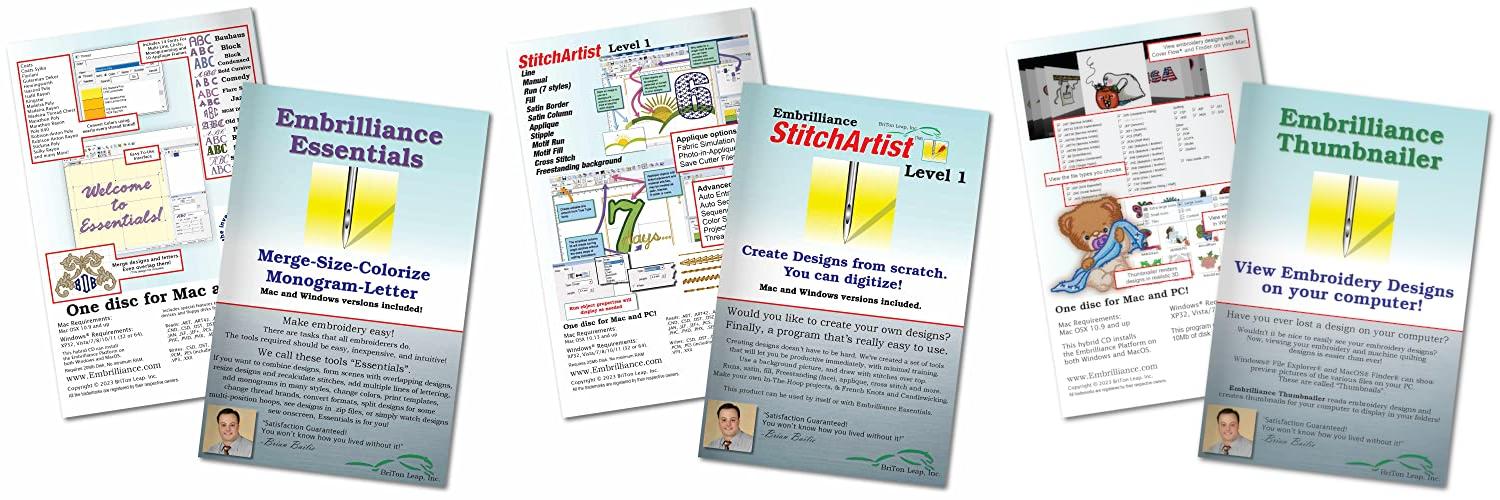
1. Embrilliance Essentials

Rating: 8.7/10
Embrilliance Essentials is embroidery software that works on both Mac and PC computers. It’s designed to help you edit and personalize your embroidery designs. You can easily resize designs, add text with many fun fonts, and even combine different embroidery patterns. This software makes it simple to get your designs ready for your embroidery machine or even your cutting machine.
What We Like:
- Works on both Windows and Mac computers.
- You get free updates and don’t need a physical disc to install it.
- Easily resize stitch files, and the software fixes the stitches automatically.
- Add text with 21 included fonts, or use special BX fonts bought online.
- You can make text spiral or make really big letters.
- Save designs in formats your embroidery machine understands.
- Save appliques for cutting machines like ScanNCut and Silhouette.
- Overlap designs, and the software removes extra stitches underneath.
What Could Be Improved:
- This software cannot turn regular pictures (like JPGs) into embroidery designs. You need a different Embrilliance product, like StitchArtist, for that.
Embrilliance Essentials is a very helpful tool for anyone who loves embroidery. It simplifies many common tasks, making your creative process smoother and more enjoyable.
2. Embrilliance StitchArtist Level 1

Rating: 9.1/10
Unleash your creativity with Embrilliance StitchArtist Level 1, the embroidery digitizing software designed for hobbyists. This software makes creating your own stitch designs simple and affordable. You can make beautiful appliques, running stitch designs, and add decorative stitches to your projects without needing to be a tech expert. It’s a fantastic tool for anyone who loves to embroider and wants to personalize their creations.
What We Like:
- Easy to learn and use for beginners.
- Create appliques with helpful placement guides.
- Trace images to make your own custom embroidery designs.
- Works on both Mac and PC computers.
- Comes on a physical disk, which is nice for some users.
- Free updates keep the software current.
- Less frustration and fewer buttons to memorize.
What Could Be Improved:
- Level 1 has a limited set of stitch types, which might be restrictive for more advanced users.
- While easy, some users might want more complex features down the line.
Embrilliance StitchArtist Level 1 is a wonderful starting point for hobby embroiderers. It empowers you to bring your unique design ideas to life without the steep learning curve or high cost of other software.
3. Embrilliance Thumbnailer

Rating: 8.9/10
Tired of guessing what your embroidery designs look like before you open them? Embrilliance Thumbnailer for Mac & PC is here to help! This handy software lets you see your embroidery files right in your computer’s file explorer or finder. No more opening every single file to find the right one. It makes organizing your designs a breeze.
What We Like:
- See your embroidery designs instantly in your file explorer (PC) or finder (Mac).
- Designs appear with cool, realistic 3D views so you know exactly what they’ll look like stitched.
- You choose which design file types you want thumbnails for, making it super customizable.
- The Windows version is extra cool because it works with .svg and vinyl cutting files like Brother Scan ‘n Cut and Silhouette Studio files.
- No need for a CD/DVD drive! You can install from the disc or use a downloadable installer with your serial number.
What Could Be Improved:
- Mac users running Big Sur or Monterey might not see thumbnails for .EXP files because of operating system limits.
Embrilliance Thumbnailer makes managing your embroidery files so much easier. Get a clear view of your projects and save time searching.
4. Embrilliance StitchArtist Level 2 Digitizing Embroidery Software for MAC & PC

Rating: 9.0/10
Embrilliance StitchArtist Level 2 Digitizing Embroidery Software for MAC & PC unlocks your creative potential in the world of embroidery. This powerful program is designed for serious hobbyists and professionals who want to make truly unique and eye-catching designs.
What We Like:
- It includes all Level 1 features, so you don’t need two programs.
- This software helps you create more complex designs, like professional logos.
- You get a wider range of stitch types and tools to experiment with.
- It gives you the freedom to design almost anything you can imagine.
- You can make the most out of satin stitches with its advanced features.
- It works seamlessly on both MAC and PC computers.
- Lots of helpful resources are available, like YouTube videos and a user community.
- You can upgrade from Level 1 instead of buying the whole thing again.
- It’s compatible with current operating systems and gets free updates.
What Could Be Improved:
- For beginners, the advanced features might take some time to learn.
- The price point might be higher than entry-level software.
StitchArtist Level 2 is a fantastic choice for anyone ready to dive deeper into embroidery digitizing. It offers the tools and flexibility to bring your most ambitious design ideas to life.
5. Embrilliance StitchArtist Level 3 Digitizing Embroidery Software for Mac & PC

Rating: 8.8/10
Unlock your embroidery design potential with Embrilliance StitchArtist Level 3 Digitizing Embroidery Software. This powerful software, available for both Mac and PC, is designed for those who dream of creating unique embroidery designs or run a commercial embroidery business. It builds upon the foundations of Level 1 and Level 2, offering advanced tools for truly custom creations.
What We Like:
- It includes all features from Level 1 and Level 2.
- Advanced tools like Styles, QuickStyles, and an Eyelet tool help you create intricate designs.
- Graphical operators like Cut, AND, Union, and Flatten give you precise control over your designs.
- You can expand your design library by publishing Motifs and Embossed effects.
- Special tools are available for font makers and patch creators, including scalable BX font publishing.
- The software focuses on teaching you the fundamentals of digitizing, giving you complete control.
- It feels familiar if you’ve used drawing software before.
- Stitch generation is instant and automatic, making the process smooth.
- You can easily change your mind about stitch types for any shape.
What Could Be Improved:
- It is not an auto-digitizing or photo-to-stitch program; it requires manual design creation.
- Existing StitchArtist Level 1 or Level 2 owners must purchase an upgrade, not the full Level 3 software.
StitchArtist Level 3 empowers you to learn digitizing and create any design you can imagine. If you’re serious about embroidery design, this software offers the control and features you need to succeed.
Choosing the Right Embroidery Software for Your Mac
Embroidery software is a fantastic tool for anyone who loves to add custom designs to fabric. It lets you turn your ideas into beautiful stitched art. If you have a Mac, you have plenty of great options. This guide will help you find the best embroidery software for your needs.
What to Look for in Embroidery Software
When you shop for embroidery software, keep these important features in mind.
Key Features to Look For
- Design Creation Tools: Good software lets you draw your own designs from scratch. You can create simple shapes or complex artwork.
- Editing Capabilities: You will want to change existing designs. This includes resizing, rotating, and moving parts of a design. You can also change thread colors.
- File Format Support: Embroidery machines use different file types. The software should open and save common formats like .PES, .DST, .JEF, and .VP3.
- Lettering and Monogramming: Many programs have built-in fonts. This makes it easy to add names or initials to your projects.
- Stitch Types: Different stitch types create different looks. The software should offer various options like satin stitch, fill stitch, and running stitch.
- Preview Function: Seeing how your design will look before stitching is very helpful. A good preview shows you the colors and stitch order.
- Integration with Machine: Some software connects directly to your embroidery machine. This sends designs to your machine with just a click.
Important Materials and Considerations
While the software itself is digital, think about what you’ll be using it with.
- Your Embroidery Machine: Make sure the software supports your machine’s file formats.
- Your Computer: Macs are generally good for creative tasks. Ensure your Mac meets the software’s system requirements.
- Your Skill Level: Are you a beginner or an experienced embroiderer? Some software is simpler, while others offer advanced features.
Factors That Improve or Reduce Quality
The software you choose can greatly impact the final look of your embroidery.
- Software Precision: High-quality software creates smooth stitches. It avoids jagged lines or gaps.
- Thread Color Matching: Good software helps you pick realistic thread colors. It can also suggest thread brands.
- Stitch Density: This refers to how close together stitches are. The software should allow you to adjust this for different fabrics. Too dense, and it can damage the fabric. Too sparse, and the design might not show up well.
- Automatic Digitizing: Some software can turn a regular image into an embroidery design. The quality of this feature varies. Better software creates cleaner stitch files.
User Experience and Use Cases
How easy is the software to use? What can you do with it?
- Ease of Use: A clean interface and clear instructions make learning easier. Drag-and-drop features are helpful for beginners.
- Learning Curve: Some software is quick to learn. Others require more time and practice. Online tutorials and support can help.
- Use Cases:
- Personal Projects: Create custom t-shirts, bags, or home decor.
- Gifts: Personalize items for friends and family.
- Small Business: Design logos for custom apparel or create items to sell.
- Crafting: Add decorative elements to quilts or other fabric crafts.
Frequently Asked Questions About Embroidery Software for Mac
Q: What are the main Key Features I should look for?
A: The main Key Features include design creation and editing tools, support for various file formats, lettering options, different stitch types, and a preview function.
Q: Do I need special materials to use embroidery software on a Mac?
A: You need your Mac and your embroidery machine. Ensure your Mac meets the software’s requirements. The software works with digital files.
Q: How does software quality affect my embroidery?
A: High-quality software creates precise stitches, good color matching, and allows for proper stitch density. This makes your embroidered designs look professional.
Q: Is embroidery software difficult to learn?
A: It depends on the software. Some are designed for beginners with simple interfaces, while others offer advanced features that take more practice to master. Look for good tutorials.
Q: Can I create my own designs from scratch?
A: Yes, most good embroidery software includes tools to draw and create your own unique designs from the ground up.
Q: What if I want to add text to my designs?
A: Look for software with built-in lettering and monogramming features. This lets you easily add names, monograms, or phrases.
Q: How do I know if the software works with my embroidery machine?
A: Check the software’s specifications for a list of supported file formats. Make sure these match the formats your embroidery machine can read.
Q: Can I edit designs I download from the internet?
A: Absolutely. Embroidery software allows you to open downloaded designs and make changes like resizing, recoloring, or repositioning elements.
Q: What is “digitizing” in embroidery software?
A: Digitizing is the process of converting a regular image or drawing into a stitch file that an embroidery machine can understand and stitch.
Q: Where can I find embroidery software for Mac?
A: You can find embroidery software on the websites of software developers, online craft stores, and sometimes through your embroidery machine manufacturer.
In conclusion, every product has unique features and benefits. We hope this review helps you decide if it meets your needs. An informed choice ensures the best experience.
If you have any questions or feedback, please share them in the comments. Your input helps everyone. Thank you for reading.