
Image Source: i.ytimg.com
How to Change a Brother Sewing Machine Needle: Easy Steps & Quick Guide
Can you change a Brother sewing machine needle yourself? Yes, absolutely! Changing the needle on your Brother sewing machine is a straightforward maintenance task that any home sewer can master. This guide will walk you through the process step-by-step, ensuring you get your machine back to sewing smoothly and beautifully.
Why Changing Your Sewing Machine Needle Matters
Your sewing machine needle is the unsung hero of your stitching. It pierces the fabric, carries the upper thread, and works in tandem with the bobbin to create perfect stitches. Over time, or when using the wrong type of needle, this crucial component can dull, bend, or even break. This can lead to a host of frustrating sewing problems, from skipped stitches and thread breakage to fabric damage and noisy machine operation. Regularly performing a Brother sewing machine needle replacement is a fundamental aspect of Brother sewing machine maintenance that keeps your machine happy and your projects looking professional.
When to Change Your Brother Sewing Machine Needle
It’s not just about when a needle breaks. Think of your sewing machine needle like a blade on a knife – it has a lifespan. A good rule of thumb is to change your needle after approximately 8 to 10 hours of continuous sewing. However, this can vary depending on the fabric you’re using. Heavy-duty fabrics or those with dense weaves will wear down a needle faster.
Here are some common signs that indicate it’s time for a changing sewing machine needle:
- Skipped Stitches: This is perhaps the most common sign. If your stitches are uneven or some are completely missing, the needle might be dull or bent.
- Thread Snapping: A damaged needle can snag or break your thread.
- Fabric Puckering or Pulling: If the fabric looks bunched up or the thread is pulling too tightly, the needle might not be sharp enough or the correct type for the fabric.
- Unusual Machine Noises: A bent or dull needle can cause the machine to sound strained or make grinding noises.
- Needle Marks on Fabric: If you notice small holes or snags on your fabric that weren’t there before, the needle might be dull or burred.
- Needle Bends or Breaks: This is an obvious sign that the needle needs immediate replacement.
Choosing the Correct Needle for Your Brother Machine
The type of sewing needle for Brother machine you use is just as important as keeping it sharp. Brother machines, like all sewing machines, have specific needle requirements. Using the wrong needle can lead to poor stitch quality and even damage to your machine.
Understanding Needle Anatomy
Before diving into types, let’s briefly look at key parts of a sewing machine needle:
- Shank: The top, flat part of the needle that fits into the machine’s needle clamp. Brother sewing machine needles, like most home sewing machine needles, use a universal shank – flat on one side, rounded on the other.
- Shaft: The long, slender part of the needle that carries the thread.
- Groove: A channel running down the shaft that protects the thread from friction.
- Eye: The hole at the top of the shaft where you thread the needle.
- Scarf: A shallow notch on the back of the needle, opposite the groove, that helps the bobbin hook catch the thread loop.
- Point: The very tip of the needle, designed to penetrate fabric.
Popular Sewing Machine Needle Types for Brother Machines
Brother offers a wide range of needles, and the best needle for Brother machine depends on your fabric and project. Here are some common types:
- Universal Needles: These are the workhorses for general sewing. They have a slightly rounded point and are suitable for a wide variety of woven and some knit fabrics. They are a good starting point if you’re unsure.
- Ballpoint Needles (Jersey Needles): These have a rounded tip that pushes the fabric fibers aside rather than piercing them. This prevents snags and runs in knit fabrics like jersey, t-shirts, and activewear.
- Sharp Needles (Sharps, Microtex Needles): These have a very fine, sharp point designed for piercing tightly woven fabrics like cotton, linen, silk, and synthetic microfiber. They are excellent for quilting and intricate detail work.
- Stretch Needles: Similar to ballpoint needles, but with a slightly larger eye to accommodate stretch threads and a special eye shape to reduce skipped stitches on very stretchy fabrics like spandex and lycra.
- Denim Needles (Jeans Needles): These are strong and sharp, designed to penetrate thick, dense fabrics like denim, canvas, and upholstery. They have a stronger shaft to prevent bending.
- Leather Needles: These have a wedge-shaped, knife-like point that cuts through leather and other tough materials, creating a clean perforation. Note: Leather needles can leave a slightly larger hole than other needle types.
- Embroidery Needles: These have a larger eye and a scarf designed to reduce thread breakage and skipped stitches when using embroidery threads and stabilizers.
- Quilting Needles: Specifically designed for piecing quilts. They have a sharp point and a smooth shaft for precise fabric penetration and minimal drag.
Needle Sizing
Needles come in different sizes, usually indicated by two numbers (e.g., 80/12, 90/14, 100/16).
- The European sizing (e.g., 80, 90, 100) refers to the diameter of the needle in millimeters.
- The American sizing (e.g., 12, 14, 16) is a numerical system.
Generally, lower numbers indicate finer needles for delicate fabrics, while higher numbers indicate thicker needles for heavier fabrics.
Table: Needle Size Guide
| Needle Size (US/Metric) | Fabric Type | Best For |
|---|---|---|
| 60/8, 65/9 | Very Fine Fabrics (e.g., silk chiffon, organza) | Delicate, sheer materials |
| 70/10, 75/11 | Fine Fabrics (e.g., lightweight cotton, linen) | Everyday sewing, blouses, light apparel |
| 80/12 | Medium Weight Fabrics (e.g., quilting cotton) | General sewing, quilting, cotton shirts |
| 90/14 | Medium to Heavy Weight Fabrics (e.g., denim) | Jeans, corduroy, medium-weight home decor |
| 100/16 | Heavy Weight Fabrics (e.g., thick denim) | Heavy denim, canvas, upholstery |
| 110/18 | Very Heavy Weight Fabrics | Drapery, upholstery, very thick materials |
When in doubt, consult your Brother sewing machine manual or the packaging of your fabric. It will often suggest the correct needle for Brother sewing machine and size to use. Many Brother sewing machines come with a universal needle already installed.
Step-by-Step Guide to Changing Your Brother Sewing Machine Needle
What you’ll need:
- A new, appropriate sewing machine needle (check the guide above!).
- A small flathead screwdriver (sometimes needed for older models, though most modern Brother machines have a thumb screw).
- A clean cloth or paper towel.
Step 1: Safety First! Turn Off Your Machine
Before you do anything, always turn off and unplug your Brother sewing machine. This is crucial to prevent accidental starts and potential injury.
Step 2: Lower the Presser Foot
Raise the presser foot to give yourself more space to work. This also helps stabilize the needle bar.
Step 3: Locate the Needle Clamp Screw
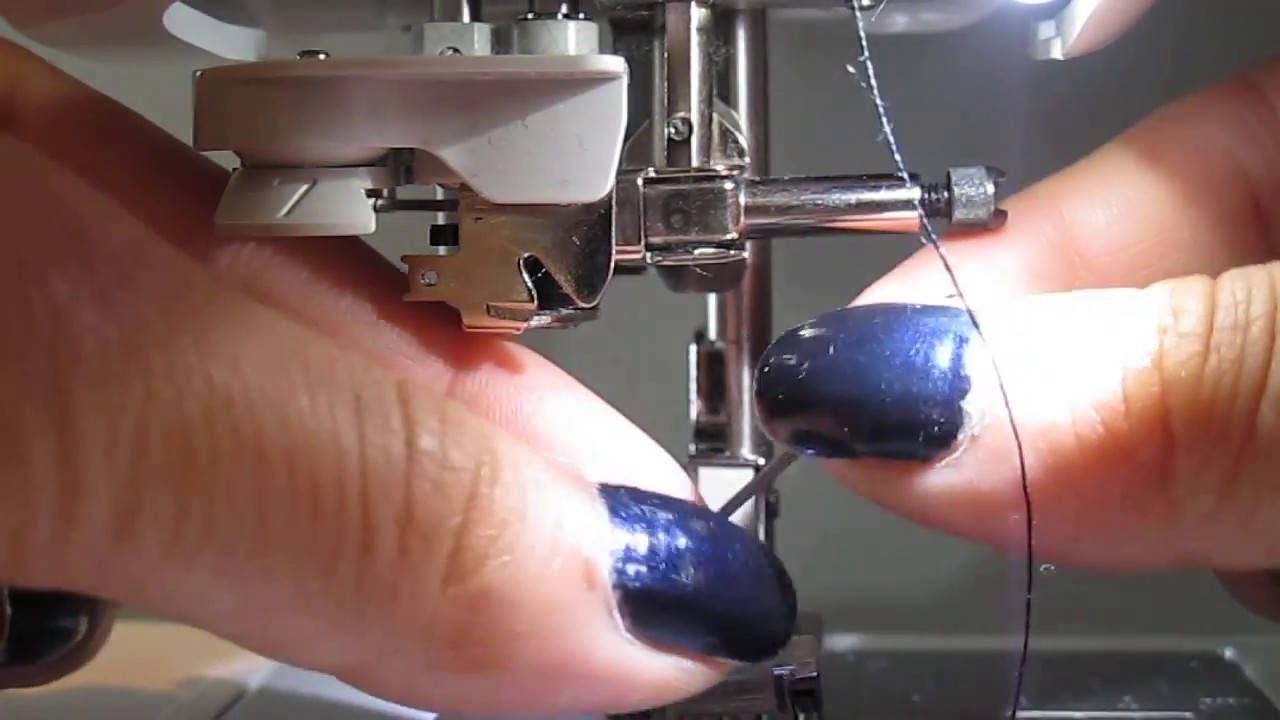
Look at the needle bar (the metal rod that holds the needle). At the very bottom of the needle bar, you’ll see the needle clamp. This clamp holds the needle in place and is secured by a screw. Most modern Brother sewing machines have a small thumb screw that you can loosen by hand. Older models might require a small flathead screwdriver.
Step 4: Loosen the Needle Clamp Screw
Using your fingers or the screwdriver, turn the needle clamp screw counter-clockwise. You don’t need to remove the screw entirely; just loosen it enough so that the needle can slide out freely.
Step 5: Remove the Old Needle
Once the screw is loose, the old needle will be free. Carefully slide the old needle downwards, out of the needle clamp. Be mindful not to drop it, as it can be sharp. You can set it aside on your cloth.
Step 6: Insert the New Needle
This is a critical step for correct Brother sewing machine needle installation.
- Orientation: Hold the new needle with the flat side of the shank facing towards the back of your Brother sewing machine. For most home sewing machines, including Brother, this is the standard orientation.
- Insertion: Gently slide the flat side of the shank into the needle clamp.
- Push Up: Push the needle upwards as far as it will go into the clamp. You should feel it seat firmly against the top of the clamp opening.
Step 7: Tighten the Needle Clamp Screw
Now, tighten the needle clamp screw by turning it clockwise. Ensure it is snug, but don’t overtighten it, as this could strip the threads or damage the clamp. The needle should feel secure and not wobble.
Step 8: Check for Proper Installation
Gently tug on the needle. It should feel firmly held and not move at all.
Step 9: Clean Up and Test
Wipe away any lint or dust from around the needle area. Plug in your machine, turn it on, and test it on a scrap piece of fabric. Listen to the sound of the machine – it should sound smooth. Check the stitches to ensure they are even and consistent.
Troubleshooting Common Brother Sewing Machine Needle Issues
Even with the best care, you might encounter problems. Here’s some Brother sewing machine troubleshooting needle advice:
Issue: Skipped Stitches
- Cause: Dull or bent needle, wrong needle type for fabric, needle inserted incorrectly, lint buildup in the bobbin area, or timing issues (more advanced).
- Solution:
- Change to a new, sharp needle of the correct type and size.
- Ensure the needle is fully inserted with the flat side of the shank facing the back.
- Clean the bobbin area and feed dogs.
- If the problem persists, consult your manual or a service technician.
Issue: Thread Breaking
- Cause: Sharp burr on the needle, incorrect tension, rough edges on the needle plate or bobbin case, using the wrong thread for the needle size.
- Solution:
- Replace the needle with a new one.
- Check and adjust upper and lower tension settings.
- Inspect the needle plate and bobbin case for any rough spots and gently polish if necessary (use a polishing cloth, not abrasive cleaners).
- Ensure your thread is of good quality and appropriate for the needle size.
Issue: Fabric Puckering
- Cause: Needle too thick for the fabric, tension too tight, stitch length too short.
- Solution:
- Use a finer needle.
- Loosen the upper tension.
- Increase the stitch length.
- Ensure you are using the correct needle type (e.g., a sharp needle for fine wovens, a ballpoint for knits).
Issue: Needle Breaking Frequently
- Cause: Using the wrong needle type (e.g., a universal needle on very thick denim), needle not inserted correctly, needle hitting the presser foot or needle plate, machine timing issues.
- Solution:
- Ensure you are using the correct, robust needle for the fabric (e.g., a denim or leather needle for tough materials).
- Double-check that the needle is fully inserted and the flat side of the shank is towards the back.
- Confirm the needle is not bent.
- Make sure the needle is centered in the needle plate opening when it comes down. If it seems to be off-center, the machine might need professional timing adjustment.
Frequently Asked Questions (FAQ)
Q: How often should I replace my Brother sewing machine needle?
A: It’s generally recommended to change your needle after about 8-10 hours of sewing time, or whenever you notice signs of dullness or damage like skipped stitches or thread breakage.
Q: Can I use needles from other brands in my Brother sewing machine?
A: Yes, most home sewing machine needles are interchangeable, provided they have the standard universal shank (flat side on the back). However, always ensure you are using the correct needle type and size for your fabric. Brother branded needles are designed to work perfectly with Brother machines.
Q: What is the difference between a universal needle and a ballpoint needle?
A: A universal needle has a slightly rounded point suitable for most fabrics. A ballpoint needle has a more rounded tip that pushes fabric fibers apart instead of piercing them, making it ideal for knit fabrics to prevent runs.
Q: My Brother sewing machine is making a loud, clanking noise. What could be wrong?
A: This often indicates a problem with the needle. It might be bent, dull, or not properly inserted. First, try replacing the needle with a new, correct one. If the noise persists, it could be a more serious mechanical issue requiring professional servicing.
Q: Do I need a special needle for sewing with knits?
A: Yes, for best results with knit fabrics, use a ballpoint or stretch needle. These needles are designed to prevent skipped stitches and fabric damage.
Conclusion
Mastering the simple task of changing sewing machine needle on your Brother sewing machine is a fundamental skill for any sewer. By understanding when to change your needle, selecting the correct needle for Brother sewing machine for your fabric, and following these easy steps for Brother sewing machine needle installation, you’ll ensure smooth, high-quality stitches and extend the life of your beloved machine. Regular maintenance, including proper needle care, is key to enjoying your sewing journey without unnecessary frustration. Happy stitching!