
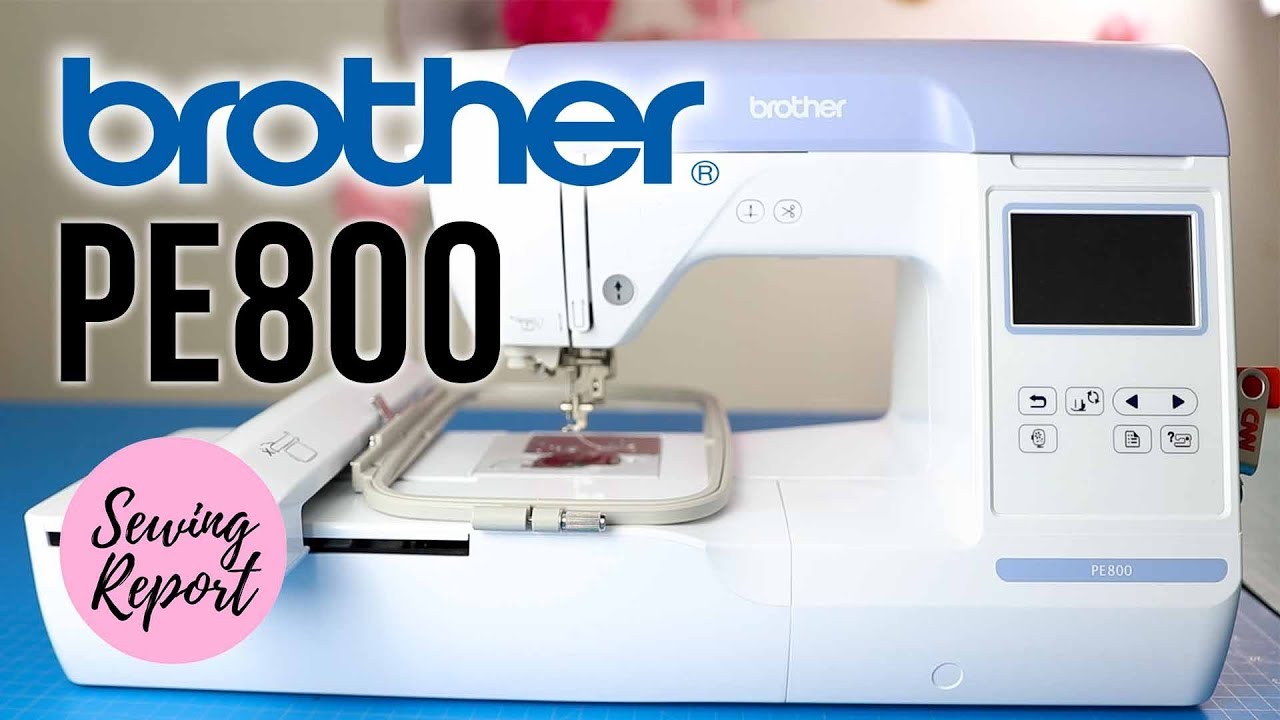
Image Source: i.ytimg.com
Beginner’s Guide: How To Use Brother Embroidery Machine
Are you new to embroidery? Do you want to bring your creative ideas to life with thread? A Brother embroidery machine can make this happen. What is an embroidery machine? It is a special sewing machine that stitches designs onto fabric. Can you use it even if you are a beginner? Yes, absolutely! Brother machines are known for being easy to use. This guide will show you all you need to know. We will help you go from a box to a beautiful stitch. Get ready to start your embroidery journey today!
Getting Started: The First Steps
Before you stitch, you need to set things up. This part covers getting your machine ready. It is a vital part of your Brother embroidery machine beginner guide.
Unboxing and Initial Preparation
Your new machine comes in a box. Take your time to unpack it. Keep the box and packing for storage later.
- Remove all packing tape: Look everywhere. Check the arm, the hoop area, and under the bobbin cover.
- Find all parts: Your machine comes with tools and parts. This often includes extra bobbins, needles, a seam ripper, and scissors. Check your manual for a full list.
- Place the machine: Put your machine on a strong, flat table. Make sure it has enough space. You need room for the fabric and your arms.
- Plug it in: Connect the power cord. Turn on the machine. Most Brother machines have a power button on the side or back.
This is the main part of Brother embroidery machine setup. Taking these first steps carefully sets you up for success.
Powering Up and Basic Navigation
When you turn on your machine, you will see a screen. This is your control center.
- Touch Screen Basics: Most Brother embroidery machines have a touch screen. Tap gently to select items.
- Home Screen: This is where you start. It shows options like selecting designs or changing settings.
- Settings Menu: Look for a wrench or gear icon. Here, you can change language, sound, and screen brightness.
- Navigating Menus: Use the arrows to move through choices. Use the “OK” or checkmark button to confirm.
- Help Button: Many machines have a help icon. This gives quick tips right on the screen.
Spending a few minutes here helps you get used to your new tool.
Materials You’ll Need
Embroidery needs more than just a machine. You need supplies. Having the right things makes your work easier and better.
- Fabric: Choose fabric suitable for embroidery. Cotton, linen, and blends are good for beginners. Make sure it is not too thin or too thick.
- Embroidery Thread: These threads are shiny and strong. They come in many colors. Polyester or rayon threads are common. Brother machines work well with most brands.
- Bobbins: These small spools hold the bottom thread. Use bobbins made for your Brother machine. Pre-wound bobbins are also available and save time.
- Needles: Embroidery needles are special. They have a larger eye for embroidery thread. Different sizes are for different fabrics and threads.
- Stabilizer: This is very important. It supports your fabric during stitching. We will talk more about this soon.
- Hoops: Your machine comes with hoops. These hold the fabric tight. Make sure you use the right size hoop for your design.
- Small Scissors: Tiny, sharp scissors are great for snipping threads.
- Seam Ripper: Sometimes stitches go wrong. A seam ripper helps you take them out.
- Fabric Markers: These let you mark your fabric. The marks disappear with water or air.
- USB Drive (Optional): If you want to use designs from your computer.
Gathering these items before you start saves time and frustration.
Setting Up Your Machine for Embroidery
Now, let’s prepare your machine for stitching. This involves several key steps.
The Right Needle for the Job
Choosing and changing needle Brother embroidery machine is simple. But it is very important. The needle does all the work.
- Needle Types:
- Embroidery Needles: Best for most embroidery. They have a big eye to stop thread breaks.
- Ballpoint Needles: Good for knits. They push fabric fibers aside instead of piercing them. This stops holes.
- Sharp Needles: For woven fabrics. They pierce the fabric cleanly.
- Needle Sizes: Sizes like 75/11 or 90/14 are common. A smaller number means a thinner needle. Use smaller needles for light fabrics and finer threads. Use larger needles for heavy fabrics and thick threads.
- When to Change:
- Change needles after every 8-10 hours of stitching.
- Change if you hear clunking sounds.
- Change if you see skipped stitches or thread breaks.
- Change if the needle is bent or dull.
How to Change Your Needle:
- Turn off the machine: Safety first!
- Loosen the screw: Use the small screwdriver that came with your machine. The screw holds the needle in place. It is on the side of the needle clamp.
- Remove the old needle: Pull it straight down.
- Insert the new needle: The flat side of the needle shaft must face the back of the machine. Push it up as high as it will go.
- Tighten the screw: Make sure it is very snug. Do not over-tighten.
A fresh, correct needle makes a big difference in stitch quality.
Choosing and Placing Stabilizer
Brother embroidery machine stabilizer is a must-have. It supports your fabric. This stops puckering and makes stitches look clean. Think of it as a strong backing for your fabric.
- Types of Stabilizer:
- Cut-Away: This is a permanent stabilizer. You trim it close to the design after stitching. Use it for knits, stretchy fabrics, or very dense designs. It stays with the fabric to keep the stitches looking good over time.
- Tear-Away: This one tears away easily after stitching. Use it for stable woven fabrics like cotton or denim. It is good for lighter designs.
- Wash-Away (Water Soluble): This dissolves completely in water after stitching. Use it for delicate fabrics like lace or to top embroidery to prevent stitches from sinking into fabric pile (like on towels).
- Fusible: This has glue on one side. You iron it onto your fabric. It adds stability and prevents the fabric from shifting.
- Sticky-Back (Self-Adhesive): This has a sticky side. You hoop it, then stick your fabric to it. Good for items hard to hoop, like collars or cuffs.
How to Choose:
- Fabric Weight: Heavy fabric needs heavy stabilizer. Light fabric needs lighter or cut-away.
- Design Density: More stitches mean more support. Use a stronger stabilizer for dense designs.
- Fabric Type: Stretchy fabrics need cut-away. Stable fabrics can use tear-away.
How to Place Stabilizer:
- Cut a piece of stabilizer a little bigger than your hoop.
- Place it under your fabric.
- Now, hoop both the fabric and the stabilizer together.
Prepping Your Fabric for Success
Properly hooping fabric for embroidery is key to good results. It keeps your fabric tight and flat.
- Cut your fabric: Make sure it is bigger than your design and the hoop.
- Iron your fabric: Smooth fabric makes for smooth stitches.
- Mark the center: Find the center of your design area on the fabric. Use a fabric marker or tailor’s chalk.
- Assemble the hoop: Your hoop has two parts: an inner ring and an outer ring with a screw.
- Loosen the screw: Make the outer hoop loose enough to fit over the inner hoop easily.
- Place the inner hoop: Put the inner hoop on a flat surface.
- Lay fabric and stabilizer: Place your fabric right side up over the inner hoop. Put your chosen stabilizer under the fabric. Make sure your center mark lines up with the hoop’s center.
- Press on the outer hoop: Gently press the outer hoop down over the fabric and inner hoop.
- Tighten the screw: Pull your fabric gently from all sides. Make it as tight as a drum. No wrinkles or slack spots. Then, tighten the screw firmly.
- Check for tightness: Tap the fabric in the hoop. It should sound like a drum. If it is loose, redo it. Loose hooping causes puckering and poor stitches.
Loading the Bobbin
The bobbin holds the bottom thread. This thread makes the back of your embroidery.
- Wind a bobbin: If using your own thread, wind a bobbin. Your machine will have a bobbin winding spindle. Place a spool of thread on the spool pin. Guide the thread through the winding path shown in your manual. Place an empty bobbin on the spindle. Push it to the winding position. Press the start button. The machine will fill the bobbin. Stop it when it is full.
- Insert the bobbin: Most Brother machines have a drop-in bobbin system.
- Open the bobbin cover plate. It is usually clear plastic.
- Place the bobbin into the bobbin case. Make sure the thread spins counter-clockwise (or as shown by an arrow on your machine).
- Guide the thread into the slot or tension spring. Pull it gently until it clicks into place.
- Pull a tail of about 6 inches of thread.
- Close the bobbin cover.
Always use good quality bobbin thread. Pre-wound bobbins are often good too.
Top Threading: A Step-by-Step Guide
Properly threading Brother embroidery machine is very important. If not done right, you will have problems. Things like skipped stitches or tangles can happen.
- Raise the presser foot: Use the lever on the side or back of the needle bar.
- Raise the needle: Use the handwheel on the side of the machine. Turn it towards you until the needle is at its highest point.
- Place the thread spool: Put your embroidery thread on the spool pin. Use the correct size spool cap to hold it in place.
- Follow the thread path: Look for numbers or arrows on your machine. They show the path.
- Path 1: Guide the thread through the first thread guide.
- Path 2: Pull the thread down through the main channel. It often goes around a U-turn.
- Path 3: Bring the thread up through the take-up lever. Make sure it goes through the eye of the lever.
- Path 4: Bring the thread down again. Go through any lower thread guides.
- Path 5: Guide it behind the needle bar thread guide.
- Thread the needle:
- Most Brother machines have an automatic needle threader. Lower the presser foot. Pull the threader down. Place the thread in the hook. Let go. The thread goes through the needle eye. Pull the loop through.
- If no auto threader, thread it by hand. Push the thread through the needle eye from front to back.
- Pull the tail: Leave about 6-8 inches of thread hanging.
Double-check your threading every time. A small mistake here can cause big problems later.
Selecting Your Design
Your machine can stitch many things. This section covers choosing what to stitch.
Using Built-in Designs
All Brother embroidery machines come with designs. This is a great way to start. It helps you practice without needing extra software. Using built-in designs Brother machine is simple.
- Turn on your machine.
- Go to the design selection screen: Look for an icon that looks like a fabric swatch or a pattern.
- Browse the designs: Use the arrow buttons to look through the options. Designs are often grouped by type (e.g., floral, holiday, frames, letters).
- Select a design: Tap on the design you like.
- Adjust the design (optional):
- Size: You can often make designs bigger or smaller. Stay within your hoop size.
- Rotation: Turn the design to fit your fabric best.
- Mirror Image: Flip the design if needed.
- Color order: The machine shows you the color changes. You will change threads when prompted.
- Combine designs: Some machines let you put several built-in designs together.
- Confirm your choice: Press “Set” or “OK” when ready. The machine will show you the design on the fabric layout screen. It will also show the size and stitch count.
Practice with built-in designs first. This builds your confidence.
Bringing in Outside Designs
You are not limited to built-in designs. You can add your own. This is about transferring designs Brother embroidery machine.
- Design Formats: Brother machines mainly use the .PES file format. They may also read .DST or .EXP. Check your manual.
- Where to Get Designs:
- Online Stores: Many websites sell embroidery designs.
- Digitizing Software: You can buy software to make your own designs.
- Free Designs: Some websites offer free designs to try.
Methods for Transferring Designs:
- USB Drive: This is the most common way.
- Save your .PES design file onto a USB drive. Make sure the drive is formatted correctly (FAT32 is common).
- Plug the USB drive into your machine’s USB port.
- On the machine’s screen, look for a USB icon or a folder icon.
- Select your design file from the list.
- The machine will load it.
- SD Card: Some older Brother models use SD cards instead of USB drives. The process is similar.
- Direct Connect (with software): Some high-end Brother machines can connect directly to your computer. You use special software (like PE-Design) to send designs.
Always make sure your design fits your hoop size. If it is too big, the machine will tell you. You may need to resize it on your computer first.
Ready, Set, Embroider!
You are almost there. Now it is time to stitch.
Placing the Hoop
- Open the arm: Your machine has an embroidery arm. Pull it out or lower it (depending on your model).
- Attach the hoop: Slide the hoop onto the embroidery arm. It will click into place. Make sure it is secure. It should not wiggle.
- Check for clear path: Make sure your fabric is flat. Nothing should block the needle or the moving arm.
Starting the Stitch
- Lower the presser foot: This holds the fabric down.
- Double-check everything:
- Is the hoop tight?
- Is the top thread in place?
- Is the bobbin loaded?
- Is the needle new and correct?
- Is the design selected?
- Press the Start/Stop button: It is usually a green button. The machine will begin to stitch.
Watching Your Design Come Alive
Your machine will stitch out the design, color by color.
- Color Changes: The machine will stop when it needs a new thread color. It will tell you which color to put in. Change the thread spool. Re-thread the machine. Then press start again.
- Stay Nearby: Do not leave the machine alone. Watch for thread breaks or tangles.
- Trim Jump Stitches: After a color change or a section, you might see long threads connecting parts of the design. These are “jump stitches.” You can trim these with your small scissors after the machine finishes that section or at the end. Trimming as you go keeps the back neater.
Finishing Up
When the machine finishes, it will stop.
- Raise the presser foot.
- Press the Stop button (if it hasn’t stopped).
- Remove the hoop: Press the release lever or button on the embroidery arm. Slide the hoop off.
- Remove fabric from hoop: Loosen the hoop screw. Take your fabric out.
- Clean up:
- Remove stabilizer: Tear away, cut away, or wash away the excess stabilizer. Trim cut-away stabilizer about 1/4 inch from the stitches.
- Trim jump stitches: On the front and back of your design.
- Iron: Gently press your finished embroidery on the wrong side. This helps to flatten it and remove hoop marks.
You now have a finished embroidered item!
Overcoming Common Hurdles
Even experienced embroiderers face issues. Don’t worry! Troubleshooting Brother embroidery machine issues is often simple.
Simple Fixes for Everyday Issues
Here are common problems and their solutions:
| Problem | Possible Causes | Solutions |
|---|---|---|
| Top Thread Breaks | Incorrect threading, poor thread quality, dull needle, wrong needle size, too much tension, lint in machine | Re-thread machine carefully, use good quality thread, change needle, check tension, clean machine, re-hoop fabric tightly |
| Bobbin Thread Shows on Top (or vice versa) | Tension issues (top or bobbin), incorrect bobbin loading, wrong bobbin thread | Adjust top thread tension (usually higher), re-load bobbin correctly, use bobbin thread made for embroidery |
| “Bird’s Nest” (thread tangle under fabric) | Top thread not correctly in take-up lever, loose hooping, top tension too loose, dirty bobbin area | Re-thread top thread carefully (ensure it’s in take-up lever), re-hoop fabric tightly, clean under bobbin plate, check top tension |
| Skipped Stitches | Dull/bent needle, wrong needle type, incorrect threading, fabric movement | Change needle, use correct needle for fabric, re-thread, hoop fabric very tightly |
| Fabric Puckering | Incorrect stabilizer, loose hooping, too dense design for fabric, wrong needle | Use heavier or cut-away stabilizer, hoop fabric drum-tight, use correct needle, iron fabric flat before hooping |
| Machine Not Moving / Stuck | Hoop not attached correctly, power issue, error message on screen | Re-attach hoop firmly, check power cord, read error message and follow instructions (e.g., lower presser foot) |
| Design Distorted / Off-Center | Loose hooping, fabric slipping, hoop not secured | Re-hoop fabric tightly, make sure hoop clicks firmly onto machine arm |
Most problems come from incorrect threading, loose hooping, or the wrong needle/stabilizer. Always check these first. Your machine manual also has great troubleshooting tips.
Keeping Your Machine Happy
Like any tool, your embroidery machine needs care. Following Brother embroidery machine maintenance tips will make it last longer. It will also perform better.
Regular Care for Long Life
- Clean After Each Use:
- Remove needle plate: Use the screwdriver to remove the screws. Lift the plate.
- Clean the bobbin area: Use the small brush that came with your machine. Brush away all lint and dust. Pay attention to the feed dogs and around the bobbin case.
- Clean the tension discs: Sometimes lint gets stuck in the top tension discs. Raise the presser foot and pull a piece of thread through. This helps dislodge lint.
- Wipe down: Use a soft, dry cloth to wipe the outside of your machine.
- Oiling (if your model requires it):
- Not all modern Brother machines need oiling. Check your manual.
- If yours does, it will show you specific oiling points. Use only proper sewing machine oil. A tiny drop is enough.
- Change Needles Often: As discussed, a fresh needle improves stitch quality and reduces machine strain.
- Cover Your Machine: When not in use, put a dust cover on it. This keeps dust and lint out.
- Store in a Safe Place: Keep it away from extreme temperatures and moisture.
- Professional Servicing: Just like a car, your machine benefits from a tune-up. Take it to a qualified service center every 1-2 years. They will clean, oil, and check for worn parts.
A clean machine is a happy machine. It will stitch beautifully for many years.
Beyond the Basics: Growing Your Skills
You have learned the main steps to use your Brother embroidery machine. This is just the start!
- Practice, Practice, Practice: The more you embroider, the better you will become. Try different fabrics, threads, and designs.
- Explore Different Stabilizers: Experiment with various types to see how they affect your results on different materials.
- Learn Digitizing: If you are keen, learn how to create your own designs. Software like Brother PE-Design or Embrilliance can help.
- Join Online Groups: Find embroidery communities online. They are full of tips, ideas, and help. Facebook groups, forums, and YouTube channels are great resources.
- Read Your Manual: Your Brother machine manual is a treasure trove of information. It has specific details for your model.
Embroidery is a fun and rewarding hobby. With your Brother machine, the possibilities are endless. Enjoy creating!
Frequently Asked Questions (FAQ)
Q1: Can I use regular sewing thread for embroidery?
A: It is best not to. Regular sewing thread is thinner and not as strong as embroidery thread. It can break easily and not give the same shiny look. Use dedicated embroidery thread for best results.
Q2: My machine makes a loud noise when stitching. What should I do?
A: First, check if the needle is bent or dull. Replace it if it is. Also, check if the hoop is correctly attached and not hitting anything. Clean the bobbin area very well, as lint build-up can cause noise. If the noise continues, it might be time for professional servicing.
Q3: How do I know what size hoop to use?
A: Your design will tell you what size hoop it needs. When you select a design on your machine’s screen, it will show the design’s dimensions. Choose a hoop that is larger than your design. For example, if your design is 4×4 inches, use at least a 4×4 inch hoop.
Q4: My stitches are looking loopy or messy. What’s wrong?
A: This is usually a tension issue. Make sure your top thread is threaded correctly through all guides, including the take-up lever. Also, check your bobbin loading. If the top thread is too loose, you might need to increase top tension slightly. If the bobbin thread is too loose, check its path in the bobbin case. Loose hooping can also cause messy stitches.
Q5: Can I embroider on very thick or very thin fabrics?
A: Yes, but you need the right tools. For thick fabrics (like canvas or denim), use a larger needle (e.g., 90/14 or 100/16) and a strong cut-away stabilizer. For thin fabrics (like silk or organza), use a smaller needle (e.g., 65/9 or 70/10) and a light, often wash-away or fusible mesh stabilizer. Always do a test stitch on a scrap piece first.