
Can you embroider with a Brother embroidery machine? Yes, you absolutely can! Brother embroidery machines are designed for both beginners and experienced crafters, offering a range of features to bring your creative visions to life.
Embarking on the journey of embroidery with a Brother machine can be incredibly rewarding. These machines are known for their user-friendliness and robust capabilities, making them a popular choice for hobbyists and small businesses alike. This comprehensive guide will walk you through everything you need to know to get started and become proficient in using your Brother embroidery machine.
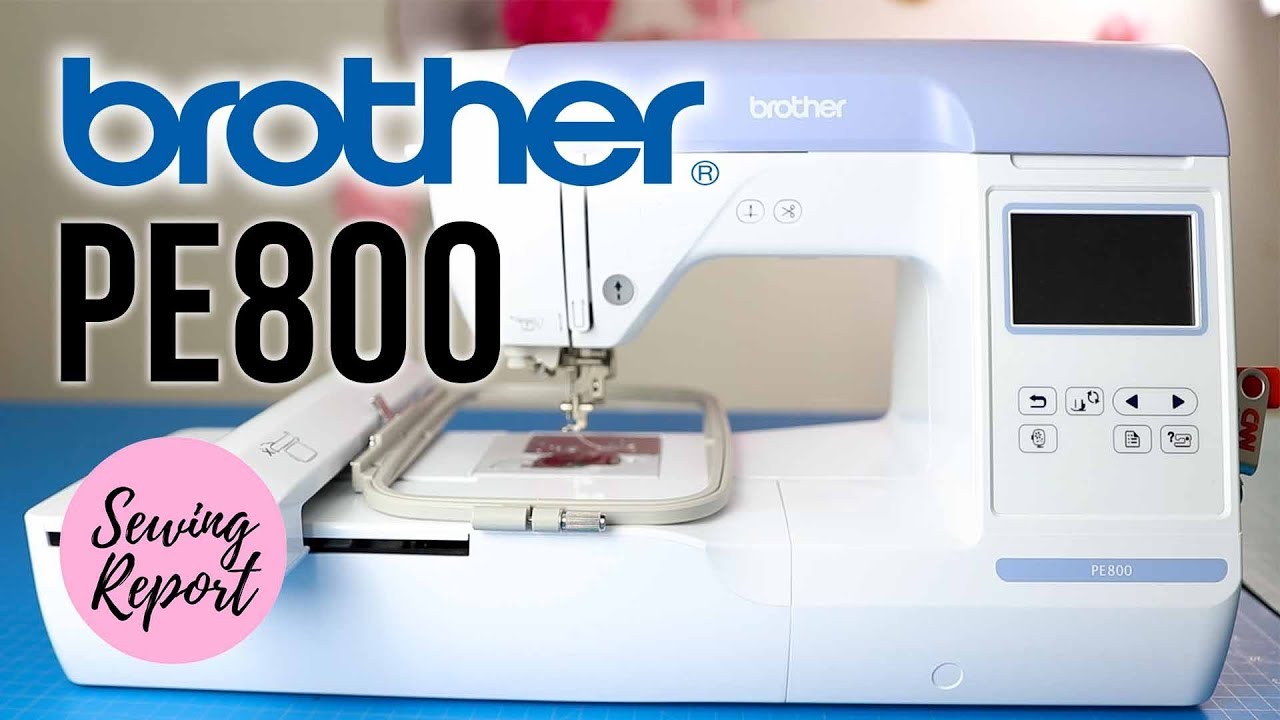
Image Source: i.ytimg.com
Getting Started: The Essential Brother Embroidery Machine Setup
The first step to mastering your Brother embroidery machine is a correct Brother embroidery machine setup. This process is straightforward and crucial for smooth operation.
Unboxing and Placement:
- Carefully unbox your machine, ensuring all components are present. Refer to your machine’s manual for a detailed list.
- Place your machine on a stable, flat surface. Ensure it’s near an electrical outlet and has enough space around it for comfortable operation and access to the fabric.
Connecting Power and Initial Checks:
- Plug in the power cord.
- Turn on the machine. Familiarize yourself with the control panel and screen.
- Install the embroidery arm and the sewing arm (if applicable to your model). Again, consult your manual for specific instructions.
Threading the Machine:
- Thread Selection: Choosing the right thread is vital. For embroidery, use high-quality embroidery thread. Cotton, polyester, and rayon are common choices, each offering different sheen and durability. For your first projects, stick with reputable brands like Brother, Floriani, or Sulky.
- Upper Threading: Follow the numbered path indicated on your machine to guide the thread. Ensure the presser foot is up when threading. Pass the thread through the tension discs correctly.
- Bobbin Winding: Proper Brother embroidery machine bobbin winding is essential for balanced stitching.
- Insert a bobbin onto the bobbin winder spindle.
- Thread the bobbin as per your machine’s instructions.
- Ensure the bobbin thread is secured and winds evenly. A well-wound bobbin prevents thread breaks and puckering.
Navigating Your Brother Embroidery Machine: The Control Panel and Screen
The heart of your Brother embroidery machine is its intuitive control panel and screen.
Key Panel Components:
- Touchscreen Display: This is where you’ll select designs, adjust settings, and monitor the embroidery process.
- Start/Stop Button: Controls the embroidery or sewing.
- Thread Up/Down Button: Moves the needle up or down.
- Needle Position Button: Allows you to move the needle to the left or right position.
- Trimmer Button: Trims both upper and bobbin threads.
Interacting with the Screen:
- Design Selection: Browse pre-loaded Brother embroidery machine patterns or import your own.
- Editing Designs: Most Brother machines allow you to resize, rotate, mirror, and combine designs directly on the screen.
- Thread Colors: Assign thread colors to your designs. Some machines have a color palette that mimics actual thread colors.
- Settings Adjustment: Fine-tune stitch density, speed, and other parameters.
Bringing Designs to Life: Hooping and Stabilizers
The way you prepare your fabric and use stabilizers significantly impacts the final embroidery quality.
Hooping Your Fabric: A Crucial Step
Proper hooping ensures your fabric stays taut and prevents shifting during embroidery, which is key to achieving professional-looking Brother embroidery machine stitches.
- Hoop Selection: Brother machines come with various hoop sizes. Choose a hoop appropriate for your design and fabric.
- Hooping Technique:
- Place the outer hoop ring on your work surface.
- Lay your fabric smoothly over the inner hoop.
- Place the outer hoop over the fabric and inner hoop.
- Press down firmly on the outer hoop, working your way around to secure the fabric snugly. It should feel like a drumhead.
- Trim excess fabric if necessary.
The Role of Stabilizers
Stabilizers provide support to your fabric, preventing stretching and distortion, and ensuring clean, crisp stitches.
-
Types of Stabilizers:
- Cut-away: Permanent, remains behind the embroidery. Good for knits and stable fabrics.
- Tear-away: Removed by tearing after embroidery. Best for wovens and lighter designs.
- Water-soluble: Dissolves in water. Ideal for delicate fabrics like lace or freestanding embroidery.
- Wash-away: Similar to water-soluble but designed to be rinsed out.
- Fusible: Adheres to the fabric with heat.
-
Stabilizer Placement:
- Backing: Placed underneath the fabric.
- Topping: Placed on top of the fabric for napped or textured materials to prevent stitches from sinking.
Brother Embroidery Machine Software: Enhancing Your Creative Flow
While many Brother machines can read common embroidery file formats (like .PES, Brother’s proprietary format), Brother embroidery machine software can unlock a world of possibilities.
What Software Can Do:
- Digitizing: Convert artwork (like JPEGs or BMPs) into stitchable embroidery files.
- Design Creation: Create custom embroidery designs from scratch.
- Editing and Customization: Advanced editing capabilities not available on the machine itself.
- Monogramming: Create personalized monograms.
- Font Integration: Add text to your designs using various fonts.
Popular Brother Software Options:
- Brother PE-Design: A powerful and comprehensive software suite.
- Brother Canvas Workspace: A free, cloud-based platform for design creation and editing.
Using software allows you to work with a wider array of Brother embroidery machine patterns and tailor them precisely to your needs.
Exploring Brother Embroidery Machine Patterns and Stitches
Your Brother embroidery machine comes with a library of built-in Brother embroidery machine patterns, and you can easily add more.
Built-in Patterns:
- These often include various floral motifs, geometric shapes, alphabets, and decorative elements.
- Explore these to get a feel for your machine’s capabilities.
Importing Designs:
- Use a USB drive to transfer designs from your computer or online resources to your machine.
- Ensure the designs are in a compatible format (usually .PES).
Understanding Brother Embroidery Machine Stitches:
Brother machines can create a variety of stitches, from basic satin and fill stitches to more complex decorative ones. The quality of these stitches depends on several factors:
- Thread Tension: Properly balanced tension is crucial for clean stitches.
- Needle Type and Size: Use the correct embroidery needle for your thread and fabric.
- Stabilizer: As mentioned, the right stabilizer ensures stitches lay flat.
- Stitch Density: Too dense, and you risk fabric damage; too sparse, and the design looks weak.
Table: Common Embroidery Stitches and Their Uses
| Stitch Type | Description | Best For |
|---|---|---|
| Satin Stitch | Dense, parallel stitches that create a smooth, satin-like appearance. Covers an area completely. | Outlines, lettering, solid shapes, filling small areas. |
| Fill Stitch | Creates solid areas of color or texture. Can be run stitch, zigzag, or specialized fill patterns. | Filling larger areas, creating texture and dimension. |
| Running Stitch | A simple, dashed line stitch. Used for outlines or decorative effects. | Outlines, delicate details, creating a hand-stitched look. |
| Tatami Stitch | A type of fill stitch that creates a woven effect. Stitches run parallel to each other. | Filling large areas with a smooth, flat finish, often used for backgrounds. |
| E-Stitch | Similar to a running stitch but often denser and used for outlines. | Outlining designs, creating a clean edge. |
| Motifs/Fancy Stitches | Decorative stitches that mimic various textures or patterns (e.g., honeycomb, waves). | Adding decorative flair, embellishing edges, creating unique textures. |
Essential Brother Embroidery Machine Accessories
Beyond the machine itself, several Brother embroidery machine accessories can enhance your experience and expand your capabilities.
- Hoop Variety: Different sizes of hoops allow you to embroider on various projects, from small pockets to large quilt blocks. Consider specialty hoops like the free-motion quilting hoop or the free-arm hoop.
- Embroidery Needles: Keep a supply of sharp, high-quality embroidery needles in various sizes (e.g., 75/11, 80/12). Replace them regularly.
- Stabilizers: Stock up on different types of stabilizers to accommodate various fabrics and design needs.
- Embroidery Thread: Invest in good quality embroidery thread in a wide range of colors.
- Bobbins: Have plenty of pre-wound bobbins or a reliable bobbin winder.
- Magnetic Hoops: Offer faster hooping and excellent fabric tension, reducing the need for adhesive spray.
- HoopTech or Similar Holders: These can help you accurately re-hoop projects if you need to stitch them in multiple sessions.
Maintenance for Longevity and Performance
Regular Brother embroidery machine maintenance is key to keeping your machine running smoothly and ensuring the quality of your embroidery.
Daily Checks:
- Clean the Needle Plate: Wipe away lint and debris.
- Check the Bobbin Area: Remove any lint or thread scraps from the bobbin case.
- Inspect the Needle: Ensure it’s sharp and not bent. Replace if necessary.
Weekly/Monthly Tasks:
- Clean the Feed Dogs and Bobbin Case Area: Use a small brush to remove lint.
- Lubricate: Apply a drop of recommended machine oil to specific points as per your manual. Do not over-oil.
- Wipe Down the Exterior: Keep your machine clean and dust-free.
Annual Servicing:
- Consider having your machine professionally serviced annually, especially if you use it frequently.
Troubleshooting Common Brother Embroidery Machine Issues
Even with careful maintenance, you might encounter minor hiccups. Here’s a guide to Brother embroidery machine troubleshooting.
Issue: Thread Breaking
- Possible Causes: Incorrect threading, dull or bent needle, wrong needle size, poor quality thread, tangled bobbin thread, incorrect tension settings, fabric too thick for needle/thread.
- Solutions:
- Re-thread the upper thread and bobbin, ensuring the presser foot is up during upper threading.
- Replace the needle.
- Check bobbin winding for evenness and thread path.
- Adjust tension (refer to your manual).
- Ensure stabilizer is adequate.
Issue: Puckering or Stretched Fabric
- Possible Causes: Insufficient stabilizer, fabric not hooped tightly enough, incorrect tension, stitch density too high.
- Solutions:
- Add another layer of stabilizer or a different type.
- Re-hoop the fabric ensuring it’s taut.
- Check upper and bobbin thread tension.
- Reduce stitch density in your software or on the machine.
Issue: Skipped Stitches
- Possible Causes: Dull or bent needle, wrong needle type, lint in the needle bar or bobbin area, thread catching on something.
- Solutions:
- Replace the needle.
- Clean the needle bar and bobbin area thoroughly.
- Ensure thread is feeding smoothly from the spool.
Issue: Bobbin Thread Showing on Top
- Possible Causes: Upper tension too loose, bobbin tension too tight.
- Solutions:
- Increase the upper thread tension.
- Decrease the bobbin thread tension (if your machine allows, otherwise focus on upper tension).
The Brother Embroidery Machine Learning Curve
Every new skill has a Brother embroidery machine learning curve, and embroidery is no exception. However, Brother machines are designed to make this curve as gentle as possible.
Stages of Learning:
- Getting Acquainted: Focus on basic operation – threading, hooping, selecting built-in designs, and running simple projects.
- Exploring Capabilities: Start experimenting with editing designs, using different stabilizers, and understanding thread types.
- Advanced Techniques: Dive into digitizing with software, working with challenging fabrics, and creating complex multi-hoop designs.
Tips for Faster Learning:
- Read Your Manual: It’s your primary resource.
- Watch Online Tutorials: YouTube is filled with Brother-specific tutorials.
- Join Online Communities: Forums and Facebook groups offer support and advice.
- Practice Consistently: The more you use your machine, the more comfortable you’ll become.
- Start Simple: Don’t try to run a 100,000-stitch design on silk for your first project. Begin with small, manageable designs on stable fabric.
Frequently Asked Questions (FAQ)
Q1: What is the best stabilizer for Brother embroidery machines?
A1: The best stabilizer depends on your fabric and design. For most projects, a medium-weight tear-away or cut-away stabilizer is a good starting point. Experiment with different types to see what works best for your specific needs.
Q2: Can I use generic embroidery thread with my Brother machine?
A2: Yes, you can, but it’s recommended to use high-quality embroidery thread. Cheap or low-quality threads can break easily, shed lint, and cause uneven stitches. Stick to reputable brands.
Q3: How often should I change the needle on my Brother embroidery machine?
A3: It’s generally recommended to change your embroidery needle after every 6-8 hours of continuous use, or immediately if you notice skipped stitches, thread breakage, or needle damage.
Q4: What is the Brother embroidery machine software for?
A4: Brother embroidery machine software, like PE-Design or Canvas Workspace, is used for creating, editing, and digitizing embroidery designs, allowing you to convert artwork into stitch files and customize existing patterns.
Q5: Can I embroider on any fabric with a Brother machine?
A5: While Brother machines are versatile, some fabrics are easier to embroider than others. Stable woven fabrics like cotton and denim are ideal for beginners. Knits, stretchy fabrics, and delicate materials like silk or lace require specific stabilizers and careful hooping techniques.
By following this guide, you’ll be well on your way to mastering your Brother embroidery machine. Enjoy the creative process and the beautiful results!